

The hard part of a board portal isn't buying it. It's the gap between the signed order form and the first meeting that runs entirely inside the platform without anyone emailing a PDF "just in case." That gap is where most implementations quietly fall apart — not dramatically, but into a hybrid mess where half the directors use the portal and the other half forward the board pack to their personal Gmail.
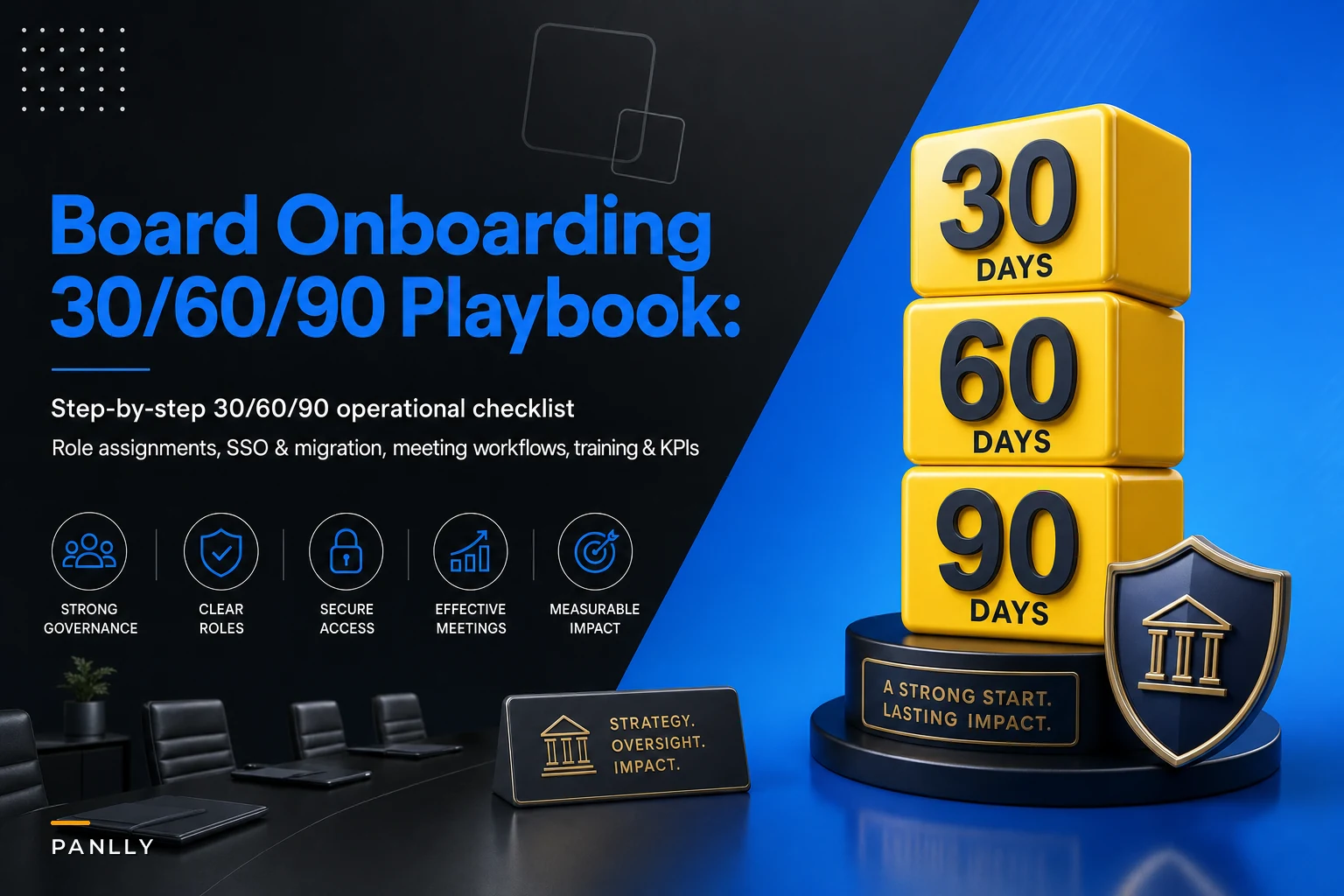
This playbook covers the first 90 days after purchase, broken into three phases, with specific owners and the decisions that need to happen in each. It assumes you've already picked a vendor and you're staring at a kickoff call wondering who's supposed to own what.
Assign the five roles before you touch the software
The most common reason an onboarding stalls is that everyone assumes the corporate secretary is handling all of it alone. They aren't, and they can't. You need five distinct roles, and two of them can't be the same person.
| Role | Owns | Common failure when unassigned |
|---|---|---|
| Project sponsor (usually Chair or CEO) | Budget authority, unblocking politics, signing off go‑live | Directors ignore adoption emails because no senior voice is behind it |
| Programme lead | The plan, the timeline, status reporting | Phases slip because nobody is chasing dates |
| Board admin / corporate secretary | Meeting workflows, minutes, agenda build, user setup | Workflows get configured by IT who don't know how the board actually meets |
| IT / security | SSO, device policy, retention config, audit trail setup | Security review happens after go‑live and forces a painful rebuild |
| Vendor PM | Migration tooling, config support, training sessions | You pay for a managed onboarding and never use the hours |
The one that consistently trips people up: the programme lead and the board admin should not be the same person. The admin is already buried in next meeting's prep. If they also own the rollout plan, the rollout always loses to the meeting that's three days away. Assign the programme lead role to someone in the governance team, or a project manager who actually has capacity.
Write these five names on a single page and circulate it at kickoff. If any box is empty, you don't have a project — you have a license.
Days 0–30: Foundation, security, and the data you're actually migrating
The first month is almost entirely IT and vendor work. Resist the urge to start training directors early — you'll just train them twice.
Eliminate boardroom chaos with seamless coordination.
Panlly simplifies scheduling, collaboration, and follow-ups for every board meeting.
- Centralized meeting scheduling
- Secure document sharing
- Task assignment & tracking
No credit card required
The technical checklist that has to clear first
Get IT and the vendor PM together and walk through this list. Nothing related to meetings moves forward until most of it is green:
-
SSO configured and tested with your identity provider, including a test of what happens when a director's account is deactivated — does it actually cut portal access?
-
Device policy decided
which directors use personal iPads versus company devices, and whether you require the vendor's secure container app or allow browser access
-
Retention and e‑records rules mapped to your actual record‑keeping obligations, not the vendor's default 7‑year setting
-
Audit trail verified
open a test document, make an edit, and confirm the log captures who/what/when in a format you could hand to a regulator
-
Permissions model built around committees — audit committee materials should not be visible to the full board by default
-
Data residency confirmed if you operate across borders and have jurisdictions that care where records physically sit
On the audit trail point specifically: test it before go‑live, not during your first regulator inquiry. A portal that logs that a document was viewed but not which version is close to useless when counsel asks you to reconstruct what the board actually saw before a decision. This connects directly to why a compliance-first approach to board records prevents audit surprises — the configuration choices you make in week two determine whether your records survive scrutiny two years later.
Test the audit trail before go‑live to confirm it records version and viewer details, not just that a document was opened.
Data migration: map it before you move it
-
Active and recent materials — last 12–18 months of packs, minutes, and resolutions. These you migrate carefully with metadata.
-
Historical archive — everything older. Decide whether it goes into the portal at all or lives in a read‑only archive you link to. Most boards don't need a decade of packs inside the live tool.
-
Reference library — charters, policies, delegated‑authority matrices, D&O documents. These need to be current, not comprehensive.
Build a data mapping template with four columns: source location, document type, destination folder, and metadata to apply (meeting date, committee, document class). Give one person ownership of each row. Migrations drag because nobody owns the ambiguous rows — the ones where it's unclear whether a 2019 strategy deck is "active" or "archive."
A realistic example: a mid‑size nonprofit board with eight directors and four committees migrated roughly 400 active documents cleanly in about two weeks, then spent another three weeks arguing about whether to import thousands of legacy files. They eventually dumped the legacy set into a separate archive and moved on. The lesson wasn't the file count — it was that the legacy decision should have been made in week one, not week four.
Days 31–60: Governance integration and building the workflows
Now the board admin takes the wheel. The software is secure and populated; the job now is making it match how your board actually governs — not how the vendor's demo environment governs.
Rebuild your meeting workflow inside the tool
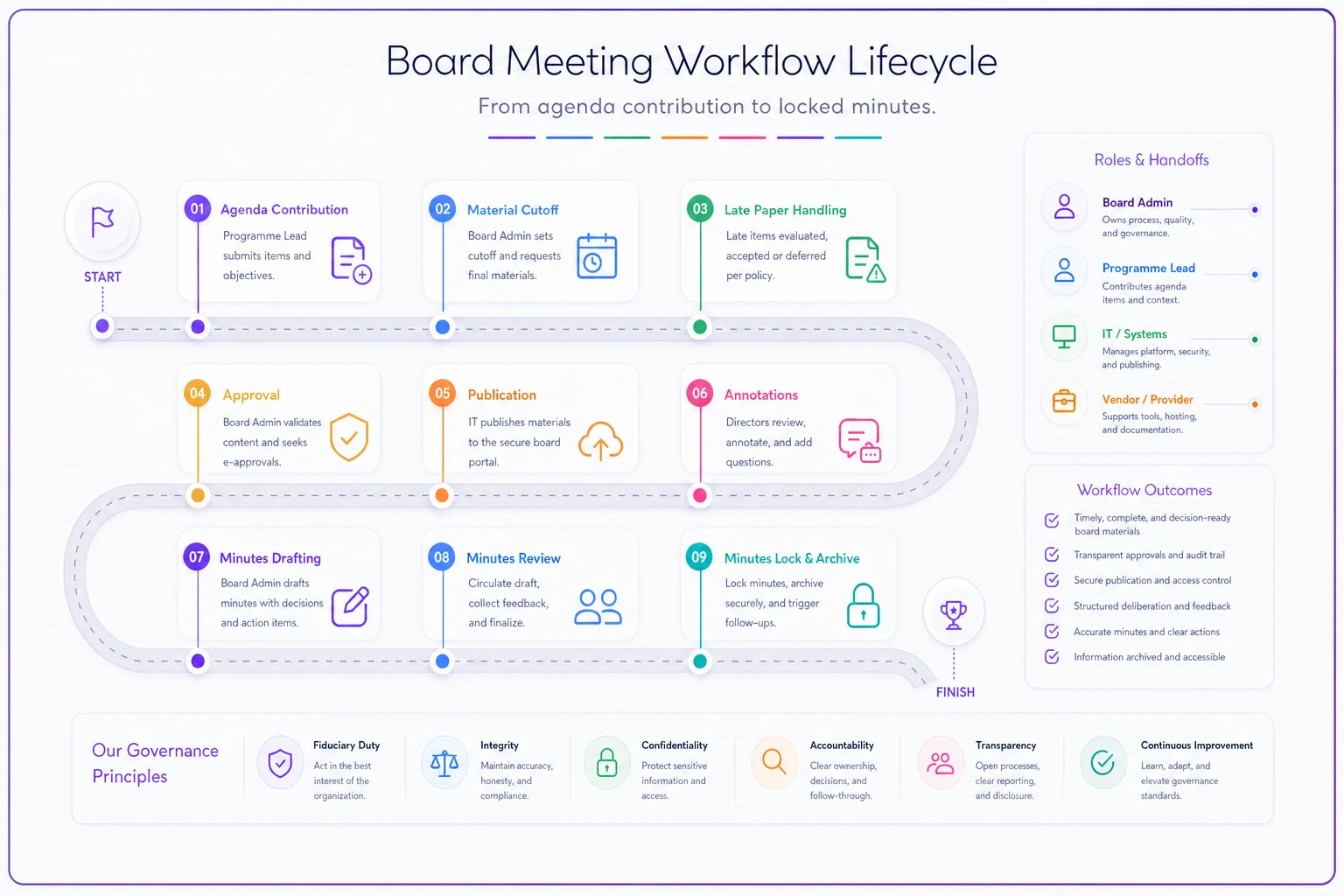
Map your existing meeting lifecycle step by step before configuring anything:
-
When does the agenda open for contributions, and who can add items?
-
What's the cutoff for materials, and does the portal enforce it or just note it?
-
How are late papers handled — blocked, flagged, or quietly allowed?
-
Who approves the final pack before it publishes to directors?
-
How do minutes get drafted, reviewed, and locked?
The mistake here is configuring the tool to the ideal workflow nobody actually follows, instead of the real one. If your CFO reliably submits the finance paper two days late, a system that hard‑blocks late submissions will just push people back to email. Configure for reality first, tighten later.
Visualizing the meeting lifecycle clarifies handoffs and timing.
Minutes, decision logs, and delegated authority
Minutes should draft inside the platform with a clear review and lock cycle. The value isn't the typing — it's that the approved minute is version‑locked and tied to the materials that informed it.
Decision logs should capture every resolution with its vote outcome, so you can answer "when did the board approve X and what did they see" without archaeology. A standing decision log also stops the board from relitigating settled questions six months later.
Delegated‑authority mapping belongs in the reference library and needs to be genuinely current. When a committee or officer acts under delegated authority, the record of that authority needs to be one click away from the decision that relied on it.
If your board handles AI oversight, data governance, or any domain where assurance owners matter, this is also the moment to wire those lanes into the agenda structure — the thinking behind translating oversight frameworks into audit lanes and minute‑ready motions applies directly to how you template recurring oversight items so they produce clean records every cycle.
Run a User Acceptance Test before anyone outside the project sees it
Don't let directors be your testers. Build a UAT matrix and run through it with the project team first:
| Scenario | Who tests | Pass criteria |
|---|---|---|
| Director logs in via SSO on personal iPad | Board admin + one director | Access works, no password reset loop |
| Admin publishes a pack with a late‑added paper | Board admin | All directors see current version, notification fires |
| Committee member tries to view another committee's restricted folder | IT | Access correctly denied |
| Minute drafted, reviewed, locked | Corporate secretary | Locked minute shows in audit trail |
| Director annotates a document, logs out, returns | One friendly director | Annotations persist and stay private |
Pick one or two cooperative directors for the live test — the ones who won't panic at a glitch and tell the whole board the system is broken. First impressions among directors spread fast and are hard to walk back.
Days 61–90: Training, adoption, and proving it worked
The build is done. Now you have to get humans to actually use it, which is harder than any SSO config.
Role‑based training, not one big session
-
Directors need about 30–45 minutes
find the pack, read on their device, annotate, vote, access the archive. That covers roughly 90% of what they'll ever do.
-
Committee chairs need a bit more
agenda contribution, reviewing drafts, in‑meeting navigation.
-
The admin team needs deep training
the full build, publishing, minutes, permissions, troubleshooting.
Produce a one‑page quick‑reference guide for directors — literally a single page with screenshots for the five things they do. Directors who resist adoption are rarely resisting the software; they're avoiding feeling lost in front of colleagues. A dead-simple cheat sheet removes most of that friction.
Communications cadence
-
Sponsor sends a short note (two weeks pre‑launch) explaining why — framed around better security and less last‑minute scrambling, not "we bought software."
-
Programme lead sends practical logistics (one week out)
how to log in, when training happens.
-
Director onboarding email with the job aid attached and a named human to contact for help.
-
First meeting runs fully in the portal, with the admin on standby for live support.
-
Post‑meeting check‑in
what was confusing, what needs adjusting.
The tone of these messages matters more than the content. If the sponsor is visibly behind it, directors comply. If adoption is pushed entirely by the admin, it reads as optional. Culture and accountability flow from the top of the board — which is exactly the dynamic that makes an enforceable boardroom culture with clear escalation and accountability hold together. Tools follow culture, not the other way around.
Success criteria you can actually measure
-
Adoption rate
percentage of directors accessing materials in‑portal rather than requesting PDFs. Target something like 90%+ by the second meeting.
-
Meeting prep time
how long the admin spends assembling and distributing a pack. Boards that were emailing packs manually often cut this from a day or two down to a few hours.
-
Audit‑ready minutes
percentage of meetings where minutes are drafted, approved, and locked in the system within your target window (say, 10 business days).
-
Materials cutoff compliance
are papers landing before the deadline more often than they were on email?
One board secretariat supporting three entities tracked this and found their biggest win wasn't time saved — it was that "where's the latest version" emails basically disappeared after the second cycle. That's the metric directors actually feel.
Common pitfalls and how to fix them
A few failure patterns show up consistently, usually at the same points in the timeline:
-
The parallel‑PDF problem. Directors keep asking for email copies "as backup." Fix: the sponsor firmly stops sending email packs after the first full meeting. As long as the email escape hatch exists, half the board will use it.
-
Security review done last. IT reviews the config after go‑live and demands changes that break workflows. Fix: security sign‑off is a day‑30 gate, not a day‑90 afterthought.
-
The admin owns everything. One person configures, trains, migrates, and supports — and burns out by week six. Fix: the five‑role split, enforced from kickoff.
-
Over‑migration. Years of legacy files blow up the timeline. Fix: decide the archive question in the first week and stick to it.
-
Minutes still live in Word. The portal holds packs but minutes get drafted outside and pasted back, breaking the audit trail. Fix: draft minutes in the tool from the first meeting, even if it feels clumsy at first.
Fix: draft minutes in the tool from the first meeting, even if it feels clumsy at first.
Post‑launch: the governance tasks that keep it working
Ninety days gets you live. It doesn't get you permanently healthy. Build a few recurring tasks into the governance calendar:
-
Quarterly access review — remove departed directors, confirm committee permissions still match reality.
-
Annual retention check — confirm records aging out are handled per policy, not silently deleted or kept forever.
-
Per‑cycle feedback loop — one question to directors after each meeting about what caused friction.
-
Config drift review — workflows you set up in month two may not match how the board meets a year later; revisit them.
How you map agenda items and standing oversight topics will also evolve as the board's priorities shift, and keeping that aligned is its own discipline — the approach in a stakeholder intelligence model for agenda mapping pairs well with a portal that's finally giving you clean, structured meeting data to work from.
The bottom line on sequencing
Most board portal onboardings feel chaotic not because the software is bad, but because teams try to handle security, migration, workflow, and training all at once, in no particular order, with one overloaded person owning all of it. Phase it. Lock down security and migration in the first month while directors aren't involved. Build the real workflows and test them in the second. Train, launch, and measure in the third. Assign the five roles on day one and keep the admin out of the programme‑lead seat.
Do that, and by day 90 the board isn't tolerating a new tool — they've quietly forgotten the email version ever existed. That's the actual goal, and it's a lot more achievable when the first 30 days are boring, technical, and done properly.
Do that, and by day 90 the board isn't tolerating a new tool — they've quietly forgotten the email version ever existed. That's the actual goal, and it's a lot more achievable when the first 30 days are boring, technical, and done properly.
Ready to enhance your board's productivity?
Join 500+ organizations using Panlly to save time, improve governance, and streamline board operations.