

Most boards handle accessibility the way they handle fire drills — they assume they're covered until the moment they aren't. Then a director with a hearing impairment joins a hybrid meeting, the captioning service routes the transcript through a third-party server nobody vetted, and now you've got confidential deliberations sitting on an unknown vendor's cloud. Or a director who uses a screen reader can't parse the board pack because someone exported it as a flattened image PDF, so they miss half the finance discussion and abstain on a vote they should have participated in.
These aren't edge cases. As boards permanently split between in-person and remote attendance, the accommodation gaps that used to be minor annoyances now sit right on top of your voting, quorum, and confidentiality mechanics. When accommodation collides with governance, you don't just have an inclusion problem — you have a defensibility problem.
This is a tight playbook for one thing: running accessible hybrid board meetings for accommodated directors while keeping your votes valid, your minutes defensible, and your confidential material actually confidential.
Where accommodation quietly breaks governance
The failures rarely look dramatic. They look like small operational shortcuts that stack up.
A typical example: a director requests real-time captioning after a stroke affects their hearing. The corporate secretary sets it up quickly using whatever consumer captioning tool the CFO used for a webinar last quarter. Nobody checked whether that tool retains transcripts, where the servers are, or whether the vendor has a confidentiality agreement. Now every privileged discussion — including a live matter under litigation hold — is being processed by an unvetted third party. If opposing counsel ever learns that, your privilege claim gets considerably shakier.
Another common one: accommodation requests get handled informally, over email or a hallway conversation, with no documented record. That feels considerate and low-friction. But when a director later claims they were effectively excluded from a decision because they couldn't access materials, there's no paper trail showing what was requested, what was provided, and when. The board's good intentions become invisible.
And then there's the voting mechanics. A director joining by assistive technology sometimes votes through a different channel than everyone else — a chat message, a verbal confirmation the facilitator repeats, an email sent thirty seconds after the call. If your minute conventions don't handle that cleanly, you get ambiguity about whether the vote was properly cast and counted. That's exactly what gets picked apart in a dispute.
Accommodation done informally is generous but indefensible. Accommodation done operationally is both inclusive and defensible.
Start with a real intake form, not an email thread
The single highest-leverage fix is turning accommodation into a structured intake process. Not a bureaucratic gauntlet — a short, consistent form that captures what's needed, routes it to the right people, and creates a record.
Eliminate boardroom chaos with seamless coordination.
Panlly simplifies scheduling, collaboration, and follow-ups for every board meeting.
- Centralized meeting scheduling
- Secure document sharing
- Task assignment & tracking
No credit card required
An accommodation intake form for directors should capture:
-
Director name and role (and whether they're a full voting member or observer)
-
Nature of accommodation requested — captioning, screen-reader-compatible materials, sign language interpretation, extended reading time, alternative voting channel, etc.
-
Whether the accommodation involves a third party (interpreter, captioning vendor, personal aide)
-
Confidentiality handling — does the accommodation introduce anyone or any system that touches board material?
-
Requested duration — one meeting, ongoing, or situational
-
Preferred channel for follow-up
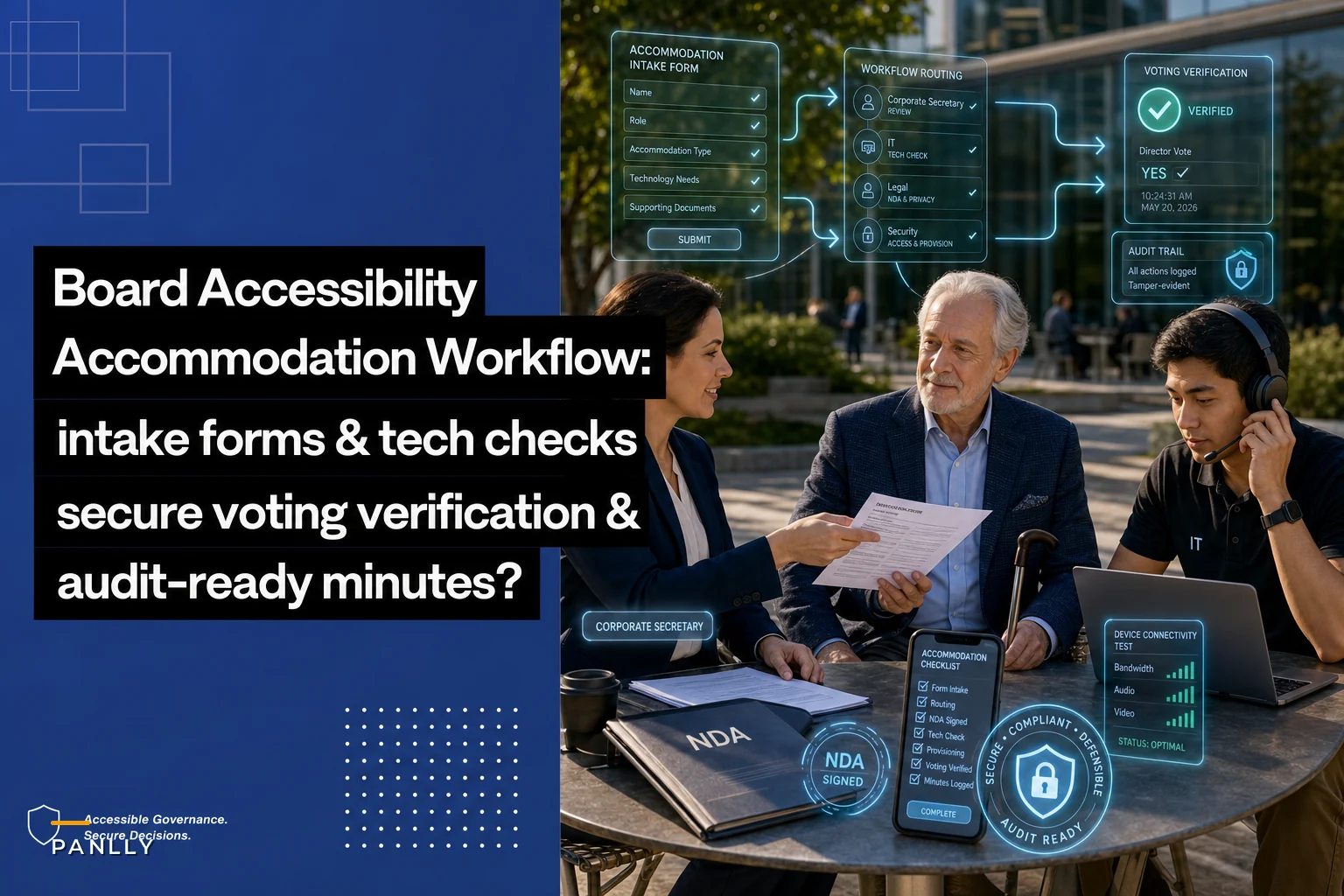
Visualizing the intake workflow helps make sure each step—from submission to vendor test—is covered and assigned.
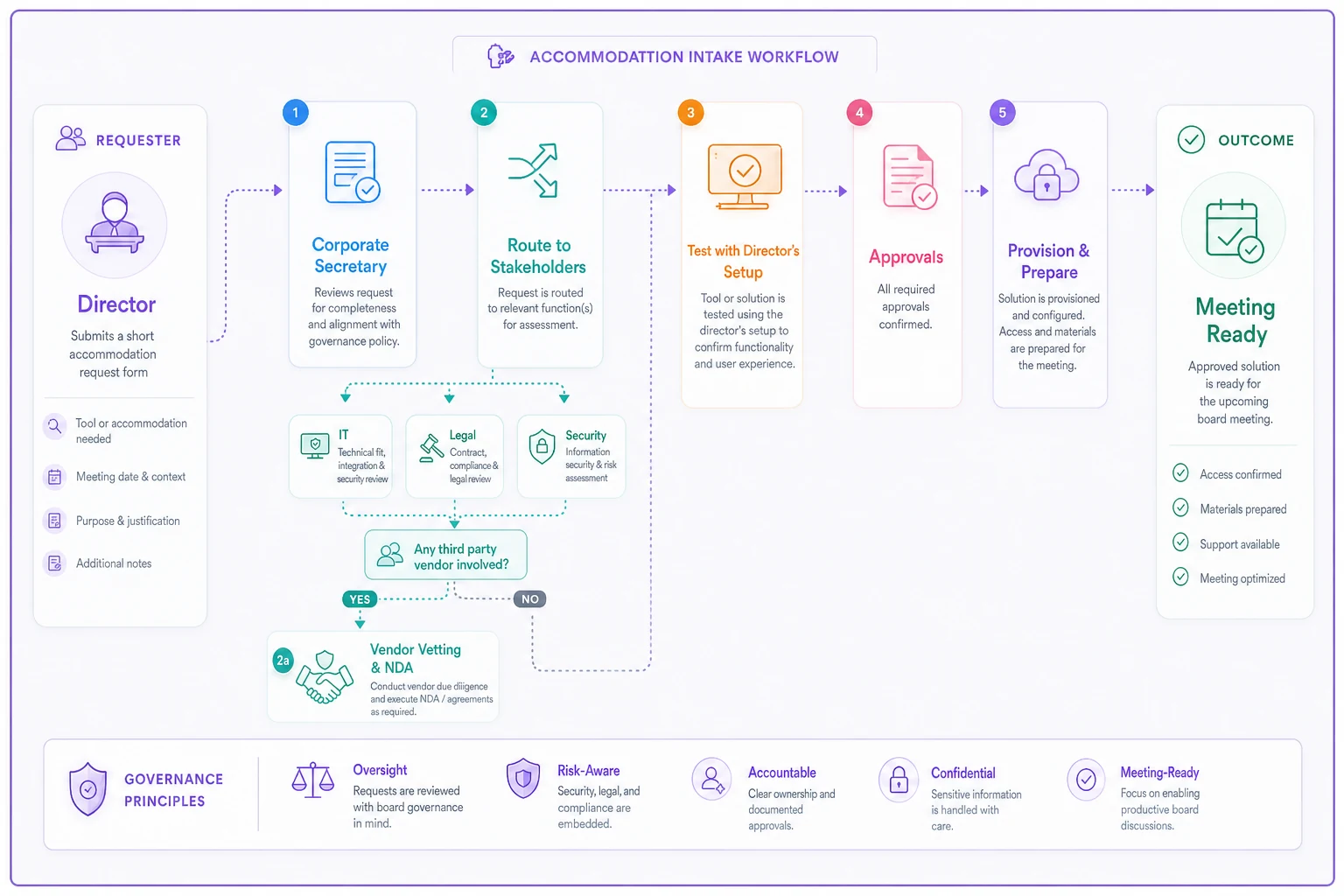
The point of the intake form isn't to make directors justify their needs. It's to make sure the secretary knows, before the meeting, what has to be arranged and what security questions need answering. The difference between "we'll figure out captions when you join" and "we've provisioned a vetted captioning service under NDA, tested with your setup two days prior" is the difference between scrambling and actually running a meeting.
One pattern worth flagging: keep the medical detail out of the form. You need to know the accommodation, not the diagnosis. Boards that collect diagnostic detail create a sensitive-data liability for no operational benefit. The form should ask "what do you need" not "why do you need it."
The secure tech checklist for accommodation tools
Every assistive tool that touches a board meeting is a potential confidentiality leak. Consumer-grade captioning, transcription, and interpretation services are built for convenience, not for privileged corporate deliberations. This is where most boards are exposed without knowing it.
Before any accommodation technology touches a live board discussion, run it against this checklist:
-
Does the vendor have a signed confidentiality/NDA agreement covering board material?
-
Where is data processed and stored — and is that jurisdiction acceptable for your privilege and data-protection posture?
-
Are transcripts or recordings retained by the vendor? If yes, can retention be disabled or controlled?
-
Can the tool be used without routing audio through an external cloud (on-device or self-hosted options)?
-
Is access limited to the specific director and session, or does the vendor have broader access?
-
Has the setup been tested with the director's actual equipment before the live meeting?
-
Is there a fallback if the tool fails mid-meeting?
Here's a quick comparison of how common accommodation setups stack up on the dimensions that actually matter for a board:
| Accommodation setup | Confidentiality risk | Defensibility | Reliability |
|---|---|---|---|
| Consumer captioning app (unvetted) | High — unknown retention & servers | Weak — no NDA, no control | Variable |
| Enterprise captioning under NDA | Low — controlled retention | Strong | Good |
| On-device / self-hosted captioning | Very low — no external routing | Strong | Good, needs setup |
| Live human interpreter (in session) | Medium — person must be under confidentiality | Strong if documented | High |
| Ad-hoc verbal relay by facilitator | Low tech risk, high human error | Weak — inconsistent record | Poor |
The interpreter row deserves a note. Human interpreters and personal aides are often the right accommodation, and they're generally more reliable than automated tools. But they're people in the room hearing privileged material. They need to be bound by confidentiality the same way any board advisor would be, and their presence needs to be recorded in the minutes. Not a hurdle — just the same discipline you'd apply to outside counsel joining a session.
Facilitator protocols for voting and verifying attendance
The facilitator — usually the chair or corporate secretary — carries the load of making sure accommodated directors are counted correctly for quorum and votes. When someone participates through a non-standard channel, the default meeting habits break down. You need explicit protocols.
A workable facilitator protocol for an accommodated hybrid meeting runs like this:
-
Confirm presence explicitly at the top. Don't rely on a video tile or a green dot. For each remote or accommodated director, the facilitator states their name and confirms two-way participation ("Director Okafor, confirming you can hear and be heard, and your captioning is working"). This gets minuted.
-
Establish the voting channel per director before any motion. If a director will vote by chat, verbal confirmation, or another route, agree on that at the start so there's no confusion when a vote is called.
-
Call votes by name for accommodated participants, not by silence. The lazy "any objections?" approach fails an accommodated director who may not be able to interject smoothly. Roll-call or explicit confirmation removes the ambiguity.
-
Repeat and confirm the cast vote back. When a director votes through an alternative channel, the facilitator restates it: "Director Okafor votes in favor — confirming." The director confirms. Both go in the record.
-
Re-verify presence before critical votes. Connections drop. Before a major resolution, re-confirm the accommodated director is still present and able to participate, so a vote isn't cast on behalf of someone who's already dropped off.
-
Handle mid-meeting tech failure with a documented protocol. If captioning or interpretation fails, the facilitator pauses substantive business affecting that director until it's restored — and the pause and reason go in the minutes.
Run a short tech check with accommodated participants 24–48 hours ahead of the meeting whenever possible.
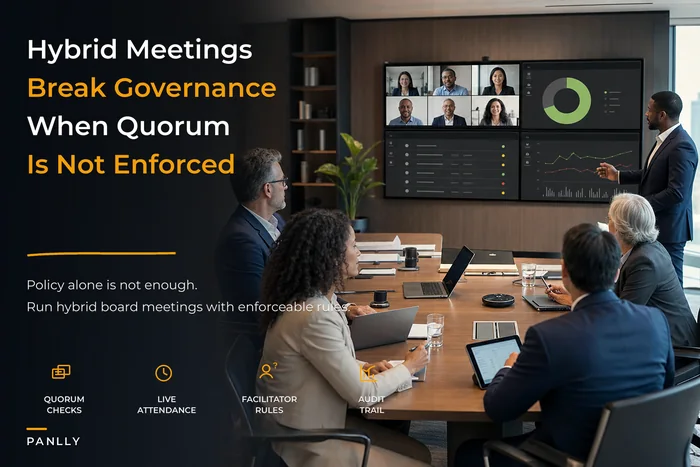
Boards that already struggle with the basics of remote participation should sort those foundations out first. The problems compound when accommodation sits on top of shaky hybrid mechanics — this is exactly the territory covered in our framework for fixing quorum, voting and confidentiality when hybrid meeting habits break governance, and accommodation protocols work far better once those fundamentals are solid.
Minute conventions that protect both confidentiality and the director
Minutes are where accommodation either becomes a defensible record or a quiet liability. The tension is real: you need to document enough to show the director was fully included and votes were valid, without recording medical detail or anything that embarrasses or exposes the director.
> "Real-time captioning was provided for the session via [vendor], engaged under confidentiality agreement. Director Okafor confirmed at 10:02 that captioning was functioning and two-way participation was established."
> "Director Okafor cast their vote in favor via facilitator-confirmed verbal relay; vote restated and confirmed by the director at 10:41."
A few conventions worth locking in:
-
Never put diagnosis or medical detail in minutes. It's not relevant to the governance record and creates a permanent sensitive-data exposure.
-
Do record confidentiality controls for any third party (interpreter, captioner) present or processing material.
-
Record timestamps for presence confirmation and votes cast through non-standard channels — this is your defensibility anchor if a vote is ever questioned.
-
Keep the accommodation intake form and vendor agreements in a controlled records store, referenced but not reproduced in the minutes themselves.
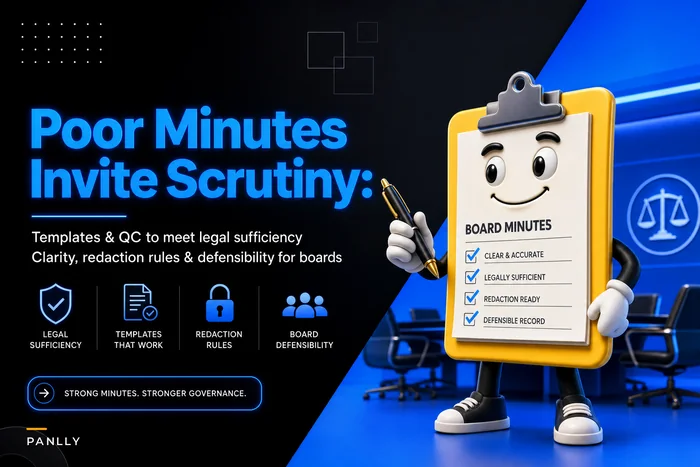
Minutes carry more weight than most boards appreciate, and thin or ambiguous records around accommodated votes are precisely the kind of gap that draws scrutiny. If you want the broader standard for minute quality under regulatory and litigation pressure, our piece on how poor minutes invite scrutiny sets out the conventions this playbook builds on.
A short real scenario
A mid-sized nonprofit board — eleven directors, quarterly meetings, roughly half attending remotely — added a new audit committee chair who used a screen reader. For the first two meetings, the board pack went out as scanned image PDFs, which her software couldn't read. She flagged it, and the secretary started emailing her a plain-text summary the night before. Well-meaning, but it meant she was voting on audit matters from a summary, not the actual materials the rest of the board saw.
At one meeting, a motion on a restatement passed while she abstained — she simply hadn't been able to review the underlying figures. When the restatement later drew questions from a funder, the board realized their audit committee chair had effectively been excluded from the key vote, with nothing in the record explaining why.
The fix was mostly operational, not technical. They built a two-question accommodation intake, standardized on properly tagged accessible PDFs (which took the secretary about an hour of extra prep per pack early on, dropping to almost nothing once the template was set), and adopted roll-call voting for any meeting with a remote or accommodated director. Over the next three meeting cycles, participation from the chair went from partial to full, abstentions on materials-she-couldn't-access dropped to zero, and the minutes clearly documented her full involvement. No dramatic transformation — just a board that closed a gap before it became a liability.
When to formalize this — and when not to over-engineer it
When a full accommodation protocol makes sense: any board with a director who has an ongoing accommodation need, any board operating primarily hybrid, and any board handling material that's privileged, regulated, or litigation-sensitive. If accommodation touches your voting or your confidential deliberations, formalize it.
When lighter-touch is fine: a small, entirely in-person board with a one-off situational need — say, a director recovering from surgery who needs a single meeting by phone — doesn't need the whole apparatus. Confirm presence explicitly, note it in the minutes, done.
Who should not treat this casually: regulated entities, boards with active litigation holds, and any board where a contested vote is even remotely possible. In those settings, an undocumented or unsecured accommodation isn't just an inclusion gap — it's an open flank in a dispute.
Bringing it together
Accessibility on a board is usually framed as an inclusion issue, and it is. But operationally, it's a governance issue that lives right at the intersection of confidentiality, voting validity, and defensible records. Handle it with a proper intake form, a vetted tech checklist, disciplined facilitator protocols, and minute conventions that record the fact without exposing the person — and you get all three: a director who's genuinely included, deliberations that stay protected, and a record that holds up.
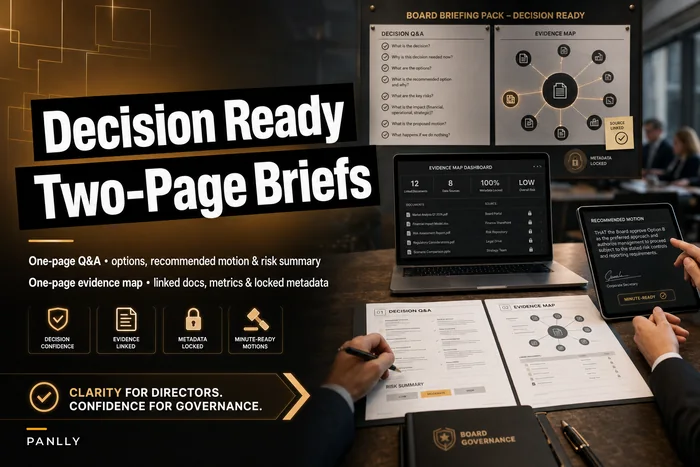
The board packs, motions, and decision materials that accommodated directors rely on also need to be built for clarity and accessibility from the start. If you're rethinking how your materials are structured, our decision-ready board briefing template pairs well with the accommodation practices here — well-structured materials are far easier to make accessible than dense, flattened packs. Get the intake and the tech decisions right before the meeting, and the meeting itself stops being a scramble.
Accessibility on a board is usually framed as an inclusion issue, and it is. But operationally, it's a governance issue that lives right at the intersection of confidentiality, voting validity, and defensible records. Handle it with a proper intake form, a vetted tech checklist, disciplined facilitator protocols, and minute conventions that record the fact without exposing the person — and you get all three: a director who's genuinely included, deliberations that stay protected, and a record that holds up.
The board packs, motions, and decision materials that accommodated directors rely on also need to be built for clarity and accessibility from the start. If you're rethinking how your materials are structured, our decision-ready board briefing template pairs well with the accommodation practices here — well-structured materials are far easier to make accessible than dense, flattened packs. Get the intake and the tech decisions right before the meeting, and the meeting itself stops being a scramble.
Ready to enhance your board's productivity?
Join 500+ organizations using Panlly to save time, improve governance, and streamline board operations.