

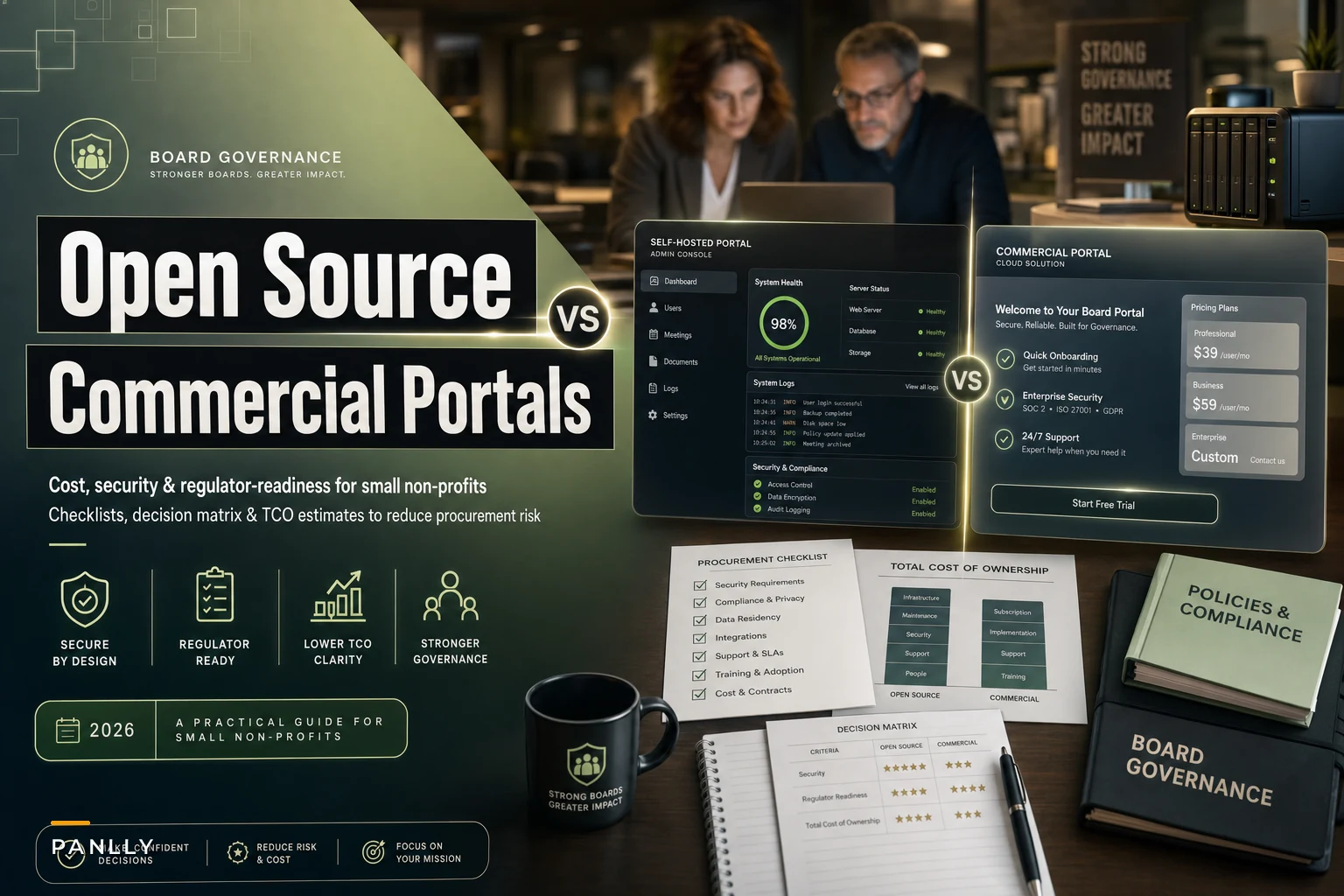

Most small non‑profit boards don't pick a board portal. They inherit one. Someone on the finance committee pushed a free self‑hosted tool three years ago, or a well‑meaning board chair signed a commercial contract after a slick demo, and now the organization is stuck maintaining a decision nobody fully priced out.
The question of open source vs commercial board portals for a nonprofit gets framed as philosophical — "we believe in open source" vs "we want something supported." That framing is wrong and it costs organizations money. The real decision is about who absorbs the maintenance burden, where the hidden costs hide, and whether you can hand a regulator or auditor a clean trail at 4pm on a Friday without three days of scrambling.
This guide skips the vendor talking points. You should be able to estimate total cost of ownership and compliance exposure before you ever sit through a sales call. Below you'll find two cost checklists, a decision matrix, the vendor questions that actually matter, and sample budget line items small organizations consistently forget.
The comparison nobody runs honestly
The sticker price comparison is where most boards get it wrong. Open source looks free. Commercial looks expensive. Then eighteen months later the "free" option has consumed a quarter of someone's job and the "expensive" one turned out to be cheaper per hour of staff time saved.
An honest side‑by‑side on the dimensions that actually matter to a small non‑profit — not features, but risk and burden:
| Dimension | Open‑Source / Self‑Hosted | Commercial Board Portal |
|---|---|---|
| Upfront license cost | $0 | ~$3k–$15k/yr for small orgs |
| Who patches security holes | You (or your contractor) | Vendor, on their SLA |
| Time to regulator‑ready export | Depends entirely on your setup | Usually built‑in, minutes |
| Hidden cost center | Staff/contractor hours | Per‑seat creep, add‑on modules |
| Data residency control | Full control | Vendor‑dependent |
| Breach liability clarity | Sits with you | Shared, contractually defined |
| Board member usability | Varies wildly | Generally polished |
| Exit / data portability | Easy if open formats | Check the contract carefully |
Open source trades money for responsibility, and commercial trades money for offloaded responsibility. For a non‑profit with one overworked operations person and a volunteer board, responsibility is often the scarcer resource. For a non‑profit with a technical volunteer base or strict data‑sovereignty needs, money is scarcer than the skills.
Where open source actually bites small non‑profits
Open‑source governance tooling is genuinely good software. The problem is almost never the software itself — it's the surrounding operational work that no one on a volunteer board wants to own.
Eliminate boardroom chaos with seamless coordination.
Panlly simplifies scheduling, collaboration, and follow-ups for every board meeting.
- Centralized meeting scheduling
- Secure document sharing
- Task assignment & tracking
No credit card required
The most common failure looks like this: a self‑hosted portal runs fine for two years, the board member who set it up rotates off, nobody remembers the server login, a security advisory drops for the underlying framework, and there's no one monitoring the mailing list. Eight months later the organization is running an unpatched instance holding board minutes, HR complaints, and donor financials, and nobody realizes it until an auditor asks about the patch cadence.
The self‑hosted governance stack tends to decay at exactly the staff transitions where continuity matters most. The knowledge lives in one person's head, and it leaves with them.
When self‑hosted open source actually makes sense
-
You have a reliable technical volunteer or a contracted admin with a real SLA, not a favor‑based arrangement
-
You have strict data residency or sovereignty requirements a commercial vendor can't meet
-
Your board materials are relatively low‑sensitivity and your real need is document storage plus agendas
-
You have genuine budget constraints and the skills in‑house — both, not just the budget pressure
When self‑hosted is a bad idea
-
Your "IT person" is one volunteer doing it as a side favor
-
You handle whistleblower intake, HR matters, or litigation‑sensitive records on the platform
-
Nobody can clearly answer "who patches this and how fast"
-
You've had two or more board‑tech handoffs go badly already
The second problem is regulator‑readiness. When a state charities regulator or your auditor asks for "all board resolutions touching the endowment between 2021 and 2023, with timestamps and access logs," a well‑configured system answers in minutes. A hand‑rolled open‑source setup answers in whatever shape someone configured it — which is often not the shape the regulator wants. You end up exporting raw database tables and reformatting them by hand.
Where commercial portals quietly leak money
Commercial portals solve the maintenance and patching problem. They introduce a different one: cost creep that doesn't show up in the quote.
The per‑seat model is the usual culprit. A quote for 9 directors looks reasonable. Then you add the corporate secretary, the ED, two committee chairs who aren't board members, the auditor who needs read access, and outside counsel during a sensitive matter. Suddenly you're at 15 seats and the per‑seat price above your base tier jumped. Small organizations routinely budget for the board and forget everyone else who touches board materials.
Then come the modules. The base portal handles documents and agendas. E‑signature is an add‑on. The secure voting module is an add‑on. The compliance reporting pack that makes you regulator‑ready — the thing you actually bought this for — is frequently the premium tier. What was quoted at roughly $4k/year lands at $9k once you've bolted on the pieces you assumed were included.
The third leak is the exit. Non‑profits rarely read the data portability clause. When they switch vendors or wind down a program, they discover minutes export as locked PDFs and the structured decision history — the metadata an auditor cares about — doesn't come out cleanly at all. You own your governance history on paper; you may not own it in a usable format.
Two implementation‑cost checklists
Run these before any demo. The goal is to force the real numbers out of hiding.
Open‑source / self‑hosted deployment checklist
-
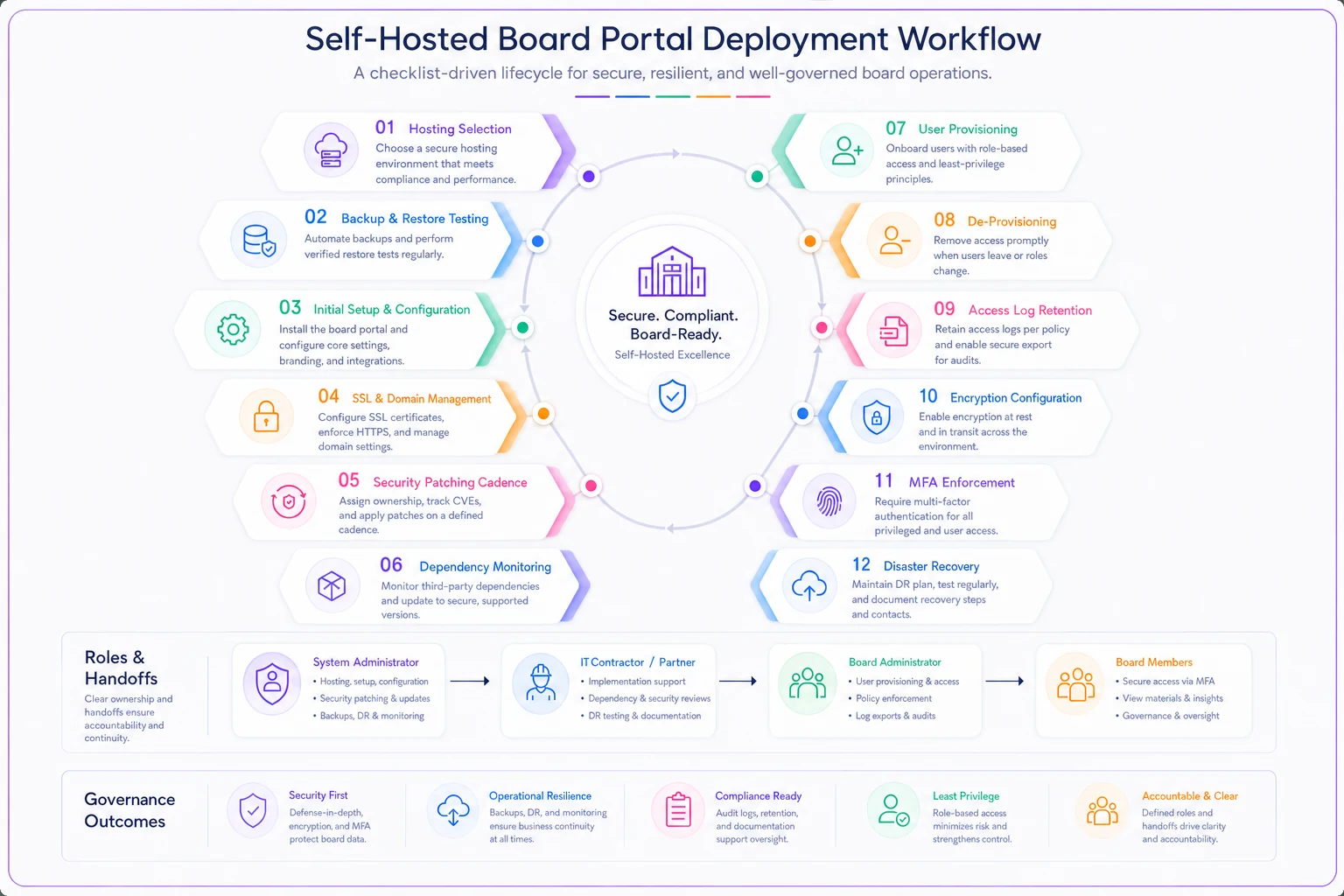
[ ] Hosting cost (cloud instance or on‑prem server, sized for growth)
-
[ ] Backup storage and tested restore process — not just backups, verified restores
-
[ ] Initial setup and configuration labor (internal hours or contractor fee)
-
[ ] SSL certificates and domain management
-
[ ] Security patching ownership — named person, defined cadence, documented SLA
-
[ ] Framework/dependency monitoring (who watches the advisory feeds)
-
[ ] User provisioning and de‑provisioning process for rotating directors
-
[ ] Access‑log retention and export tooling for audits
-
[ ] Encryption at rest and in transit — configured and verified
-
[ ] Multi‑factor authentication enforcement
-
[ ] Disaster recovery / continuity plan if the admin leaves
-
[ ] Annual security review or penetration test budget
-
[ ] Documentation handoff package (so knowledge survives staff turnover)
-
[ ] Contingency budget for emergency contractor time
A quick visual of the deployment workflow helps teams coordinate responsibilities.
Commercial board portal checklist
-
Base license tier and what seat count it actually covers
-
True seat count including secretary, ED, committee non‑directors, auditors, counsel
-
Per‑seat overage pricing above your tier
-
E‑signature module — included or add‑on?
-
Secure voting / e‑consent module — included or add‑on?
-
Compliance/regulator reporting features — which tier?
-
Data residency location and whether you can choose it
-
Breach notification SLA in the contract
-
Audit‑log access — can you pull logs, or must you request them?
-
Data export format and completeness (structured data, not just PDFs)
-
Contract exit terms and data retrieval window after termination
-
Annual price escalation clause (common and overlooked)
-
Onboarding/training fees
-
SSO and MFA — standard or premium tier?
Ask vendors to produce a real regulator‑ready export during evaluation, not just a dashboard demo.
Run these before any demo. The goal is to force the real numbers out of hiding.
A decision matrix you can score in one meeting
Score each factor 1–5 for your organization, then weight it. The point isn't precision — it's forcing an honest conversation before anyone falls in love with a demo.
| Factor | Weight | Favors open source if… | Favors commercial if… |
|---|---|---|---|
| In‑house technical capacity | High | You have reliable, contracted skills | You have none or favor‑based only |
| Record sensitivity | High | Mostly routine documents | HR, whistleblower, litigation‑sensitive |
| Regulator reporting frequency | High | Rare, informal | Regular, formal export demands |
| Budget structure | Medium | Capital/one‑time available, thin recurring | Predictable recurring preferred |
| Staff turnover risk | High | Stable, documented ownership | Frequent handoffs |
| Data residency needs | Medium | Strict/sovereign requirements | Flexible |
| Board usability demands | Medium | Tech‑comfortable directors | Mixed comfort, need polish |
A scoring rule that holds up in practice: if your three "High" weight factors lean commercial, don't fight it to save on the license — the staff‑hour cost of self‑hosting will erase the savings. If they lean open source and you genuinely have the skills, the control is worth it.
Vendor evaluation questions that cut through the demo
Demos are designed to show you the happy path. These questions pull out the parts vendors would rather glide past — and they apply whether you're evaluating a commercial vendor or a contractor for your open‑source build.
-
What is your breach notification timeline, and is it in the contract or just the brochure?
-
Can we export a complete audit log ourselves, or must we file a request with you?
-
When we leave, what format does our full history export in, and how long do we have to retrieve it?
-
What is your patch cadence for critical vulnerabilities, and where is it documented?
-
Which features that we'd consider essential are in a higher tier than the one you just quoted?
-
Where does our data physically reside, and can we choose the region?
-
What happens to pricing at renewal — is there an escalation clause?
-
Can you show a sample regulator‑ready export, not a dashboard?
That last one separates the serious tools from the pretty ones. A polished dashboard isn't the same as a clean export an auditor will accept. Boards navigating sensitive external pressures — disclosure obligations, supply‑chain compliance, or situations like those covered in immediate board actions on export curbs for recovered critical minerals — learn fast that "we can see it on screen" and "we can hand it to a regulator in the right shape" are genuinely different capabilities.
Sample budget line items boards forget
These are the lines that routinely get left off the first draft and blow up the budget later.
For open source:
-
Emergency contractor retainer (the 2am patch nobody planned for)
~$1k–$3k/yr set aside
-
Annual security review
~$1.5k–$5k depending on scope
-
Verified backup/restore testing
a few staff hours quarterly
-
Knowledge documentation refresh at each staff transition
For commercial:
-
Seat overages beyond the quoted board count
often 30–60% more seats than the headline number
-
Add‑on modules for voting, signature, and compliance reporting
-
Renewal escalation (frequently 3–8% annually, compounding)
-
Onboarding and re‑training when a new corporate secretary comes on
A realistic small‑org picture: a commercial portal quoted at roughly $4k lands closer to $7k–$9k once real seat counts and the compliance module are factored in. A self‑hosted build that looks free runs roughly $3k–$6k a year once you honestly price hosting, a contracted admin, backups, and a security review — if the admin relationship is actually reliable. The two models often converge in real dollars. The difference is where the risk sits, not what you're spending.
A short real scenario
A regional arts non‑profit with an eleven‑member board ran a self‑hosted open‑source portal for about three years. Cost on paper: near zero. The board member who built it moved across the country and quietly stopped maintaining it.
When their annual audit came around, the auditor asked for access logs on the folder holding executive compensation discussions. Nobody could produce them — logging had never been fully configured. The organization spent roughly 25–30 staff and contractor hours reconstructing a defensible record and re‑securing an instance that turned out to be two major versions behind on patches. The emergency contractor bill came to just over $2,000, plus the ED lost most of a week during a grant‑reporting crunch.
They moved to a commercial portal the following year at around $6k all‑in. Not because open source failed as software — it didn't — but because no one in the organization could reliably own it. Paying to offload the responsibility was cheaper than the responsibility itself. For an organization with a steady technical volunteer, the math would have pointed the other way.
The actual decision
The right answer isn't ideological and it isn't universal. It comes down to one honest question: who in your organization will still be reliably maintaining and defending this system two staff transitions from now?
If you can name that person — contracted, documented, accountable — open source gives you control, data sovereignty, and no license fee. If you can't, or if the answer is "probably a volunteer, we'll figure it out," a commercial portal isn't the expensive option. It's the one that keeps your board records regulator‑ready when the people who set everything up are long gone.
Price the responsibility, not just the license. Run the two checklists, score the matrix, and ask the eight questions before you watch a single demo. The organizations that get this decision right aren't the ones who picked the "better" technology — they're the ones who were honest about what they could actually maintain.
Ready to enhance your board's productivity?
Join 500+ organizations using Panlly to save time, improve governance, and streamline board operations.